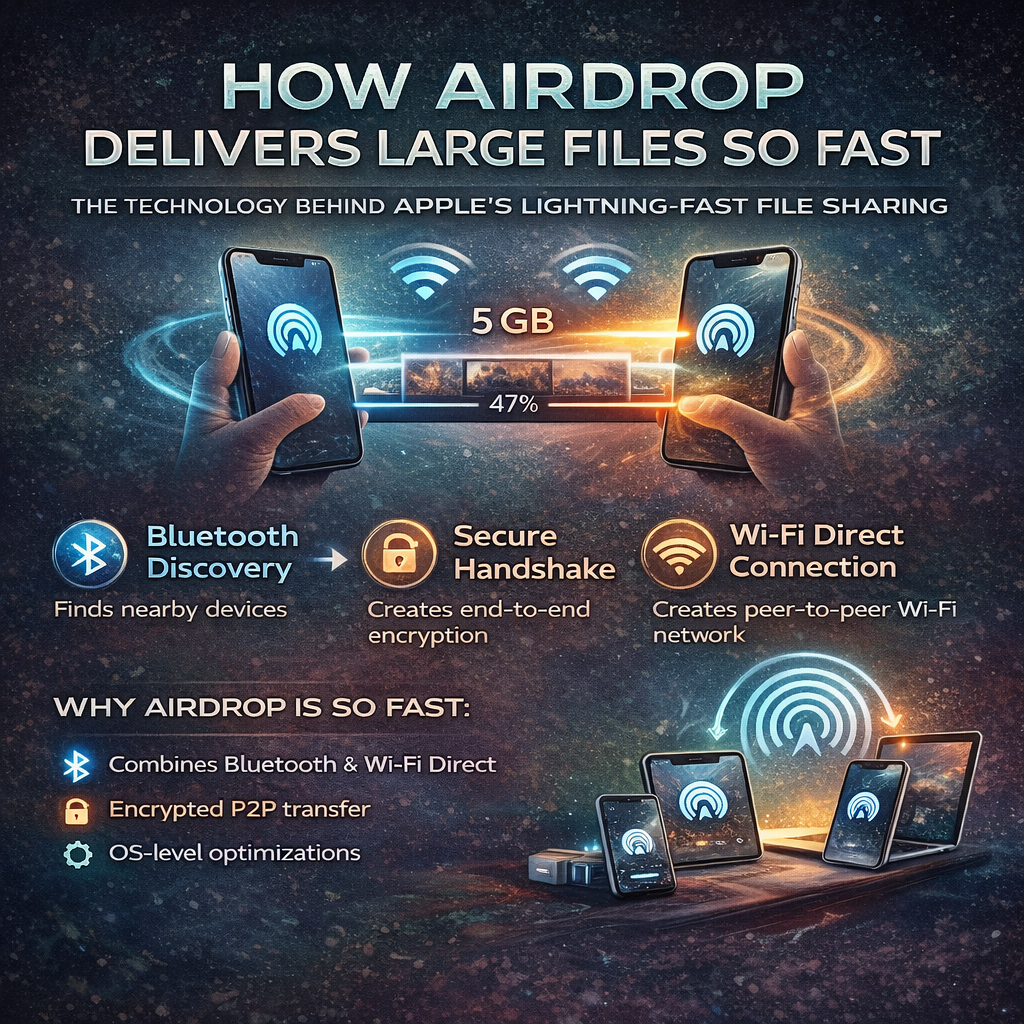
Deep Dive into the Technology, Algorithms & System Design Behind AirDrop
AirDrop feels magical on the surface — you tap Share, select a device, and even multi‑GB files are delivered in seconds without the internet. Behind this simplicity lies a beautifully designed distributed system. This blog breaks down how AirDrop actually works, step by step, from discovery to delivery.
1. The Core Problem AirDrop Solves
Traditional file‑sharing methods suffer from at least one major limitation:
- Bluetooth is too slow
- Email has strict size limits
- Messaging apps compress data
- Cloud sharing requires upload + download time
AirDrop was designed to be:
- Instant
- Offline
- Secure
- Capable of large file transfers
- Zero‑configuration
2. AirDrop Is a Pipeline, Not a Single Technology
AirDrop is not one protocol. It is a multi‑stage pipeline combining:
- Bluetooth Low Energy (BLE)
- Wi‑Fi Direct
- Cryptographic authentication
- Chunked data transfer
- OS‑level optimization
Think of it as a temporary distributed system created between two nearby devices.
3. Step 1: Device Discovery Using Bluetooth Low Energy
When AirDrop is enabled:
- Your device advertises its presence via BLE
- Nearby Apple devices listen for these signals
- Only lightweight metadata is exchanged
Bluetooth is chosen because:
- It consumes very little power
- It works without Wi‑Fi
- It is ideal for discovery, not data transfer
No file data is transferred at this stage.
4. Step 2: Privacy‑First Identity Matching
Instead of exposing phone numbers or emails:
- Devices exchange hashed identifiers
- Matching happens locally
- Personal information is never revealed
This ensures AirDrop remains private even in public spaces.
5. Step 3: Secure Authentication Handshake
Before any data transfer:
- Devices authenticate each other using Apple‑issued certificates
- A secure session is established
- End‑to‑end encryption is enabled
Security mechanisms include:
- Public key cryptography
- Symmetric encryption
- Encrypted session keys
6. Step 4: Switching to Wi‑Fi Direct (The Speed Breakthrough)
Once authentication succeeds:
- AirDrop switches from Bluetooth to Wi‑Fi Direct
- Devices create a peer‑to‑peer Wi‑Fi connection
- No router or internet is required
Wi‑Fi Direct supports hundreds of Mbps, which is why AirDrop is so fast.
7. Step 5: Temporary Peer‑to‑Peer Network Creation
A private Wi‑Fi network is created:
- Local IPs are assigned
- High‑throughput channels are opened
- Network exists only during transfer
Once complete, the network is destroyed.
8. Step 6: Chunking Large Files
Large files are split into smaller chunks:
- Each chunk has metadata
- Chunks can be transferred independently
- Failed chunks can be retried without restarting
This improves reliability and speed.
9. Step 7: Parallel Data Transfer
Chunks are sent:
- In parallel streams
- Over the same Wi‑Fi Direct connection
- With adaptive bandwidth utilization
This allows AirDrop to maximize available network capacity.
10. Step 8: Error Handling & Retry Mechanism
If network conditions fluctuate:
- Only failed chunks are resent
- Successful chunks are preserved
This makes AirDrop fault‑tolerant and efficient.
11. Step 9: File Reassembly on Receiver Side
On the receiving device:
- Chunks are verified
- Order is restored
- Integrity checks are performed
Only after complete success is the transfer finalized.
12. Why AirDrop Is Faster Than Cloud‑Based Sharing
Cloud flow:
Sender → Internet → Server → Internet → Receiver
AirDrop flow:
Sender → Receiver (Direct)
No upload time, no download time, no server latency.
13. OS‑Level Optimization (Apple’s Advantage)
Because Apple controls hardware and OS:
- Network priority is boosted
- Background tasks are throttled
- Power and CPU usage are optimized
This level of optimization is impossible for third‑party apps.
14. Is There a Single Algorithm Behind AirDrop?
AirDrop uses a system design approach, not one algorithm:
- Discovery protocols
- Secure key exchange
- Chunk‑based streaming
- Parallel pipelines
- Intelligent retries
15. Final Thoughts
AirDrop demonstrates how great system design can:
- Eliminate unnecessary infrastructure
- Improve user experience dramatically
- Deliver speed, security, and simplicity together
It is a real‑world example every developer should study.